docker-command-center
Docker Command Center
A next generation Docker management platform | CLI first, zero lock-in,realtime control.







Screenshots
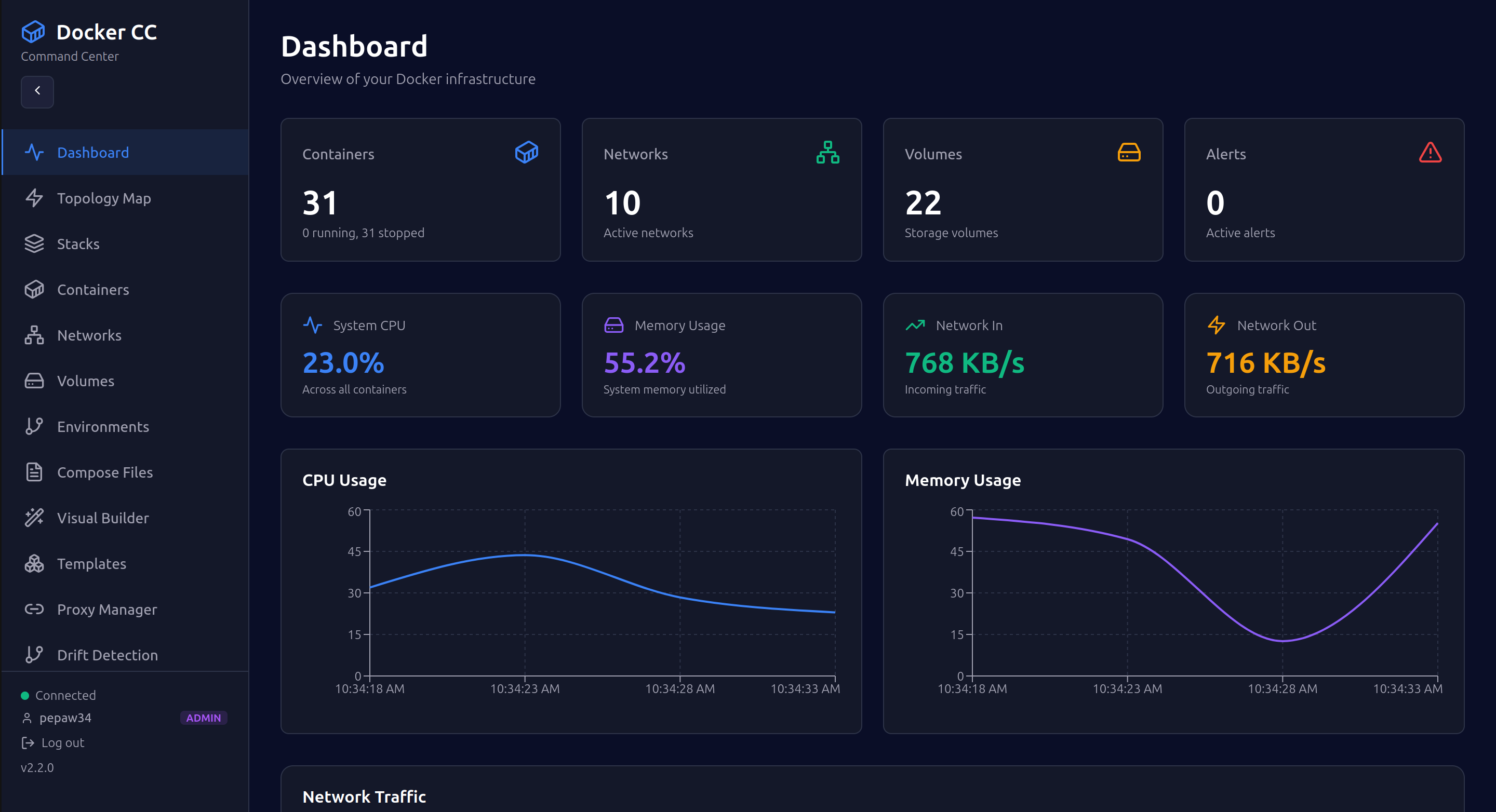
Dashboard & Real-time Metrics
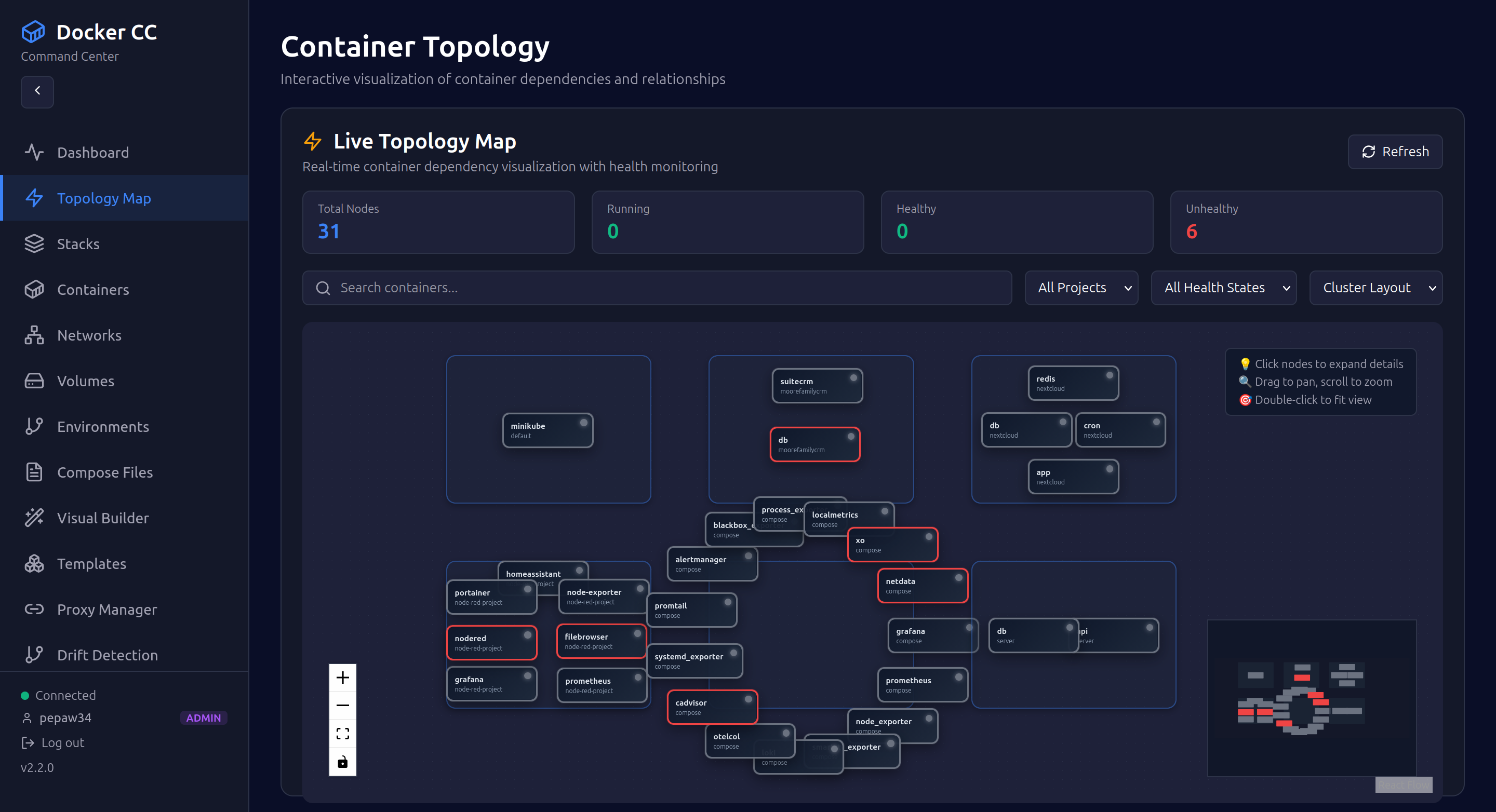
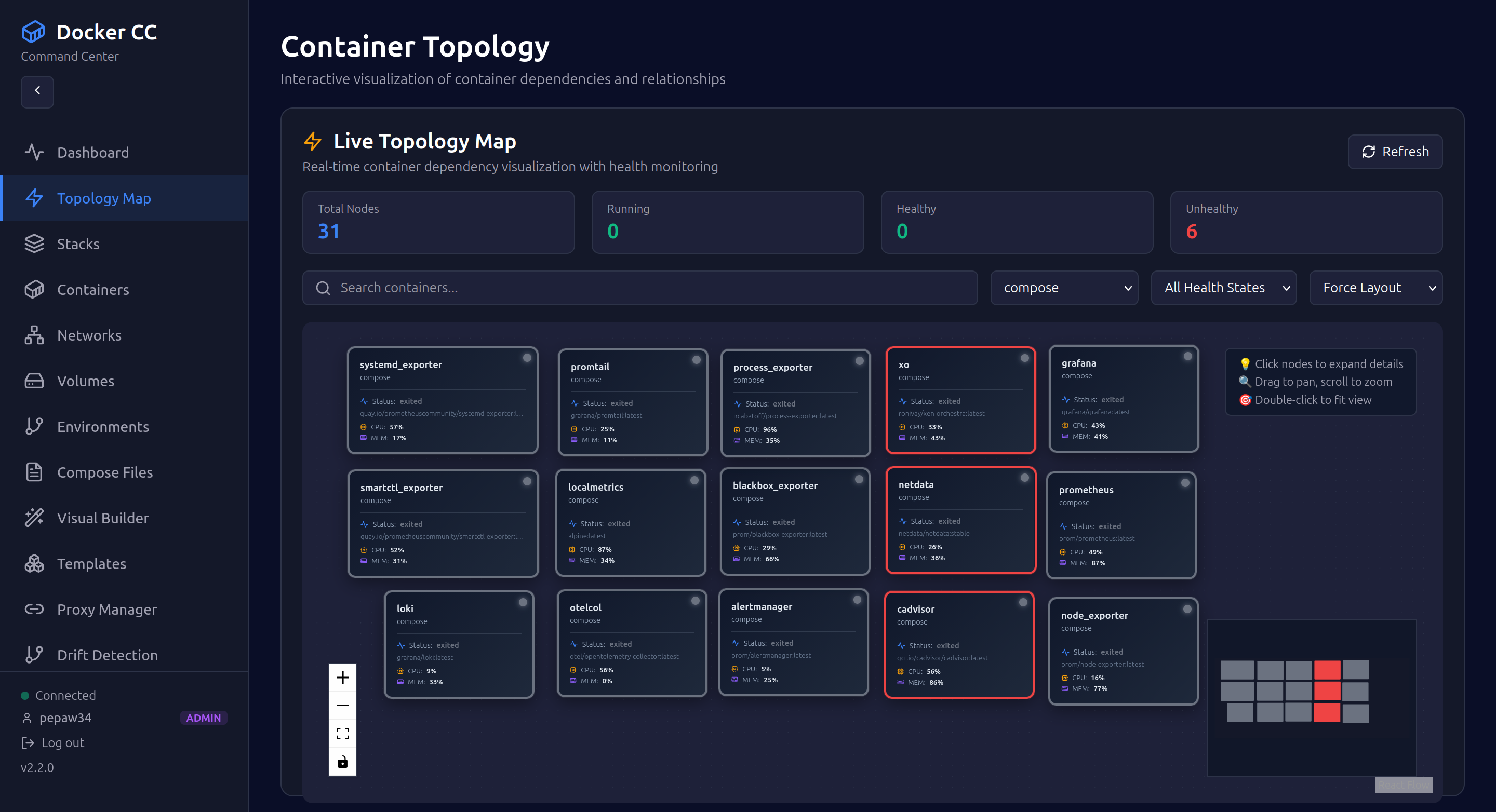
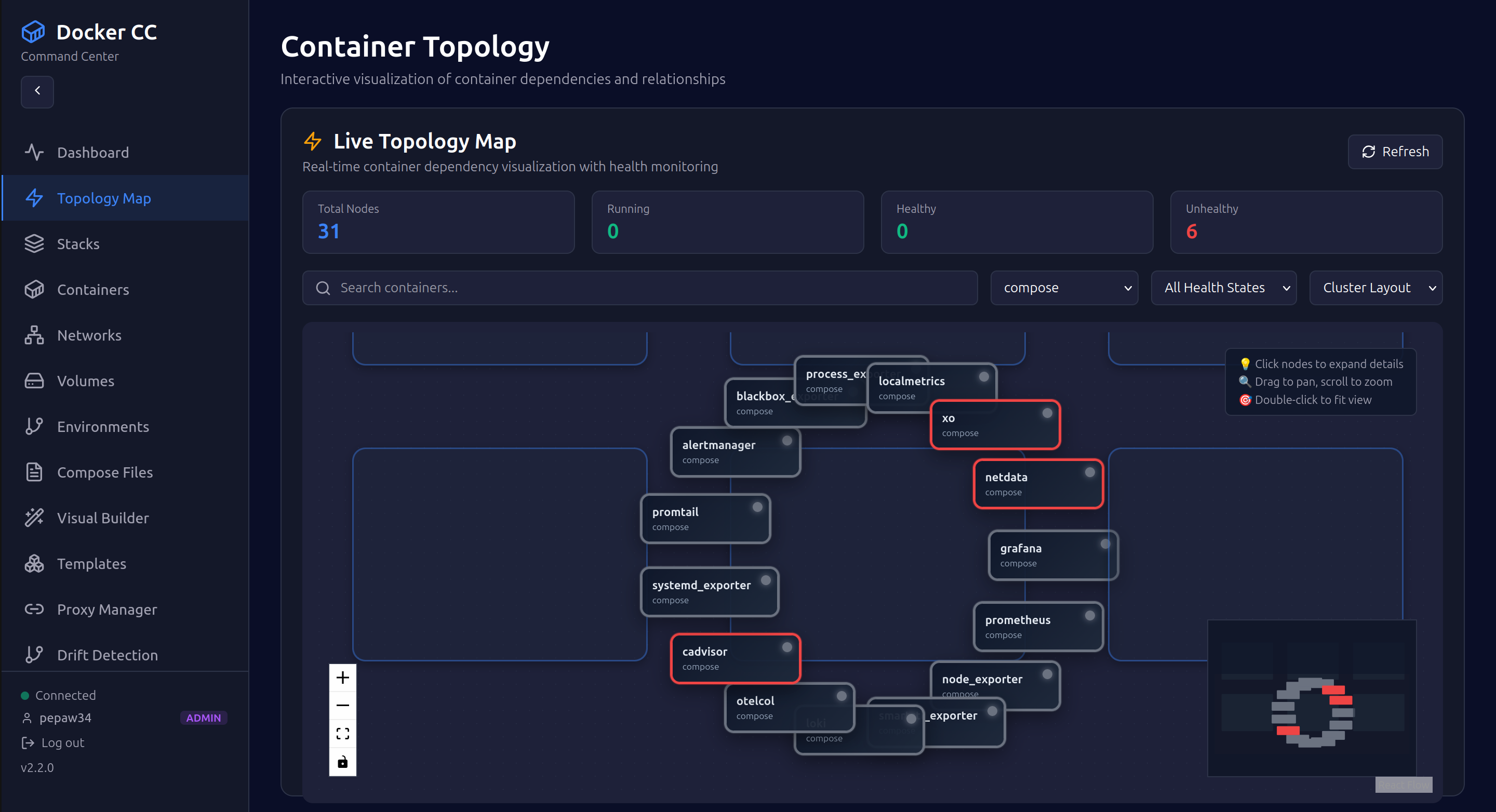
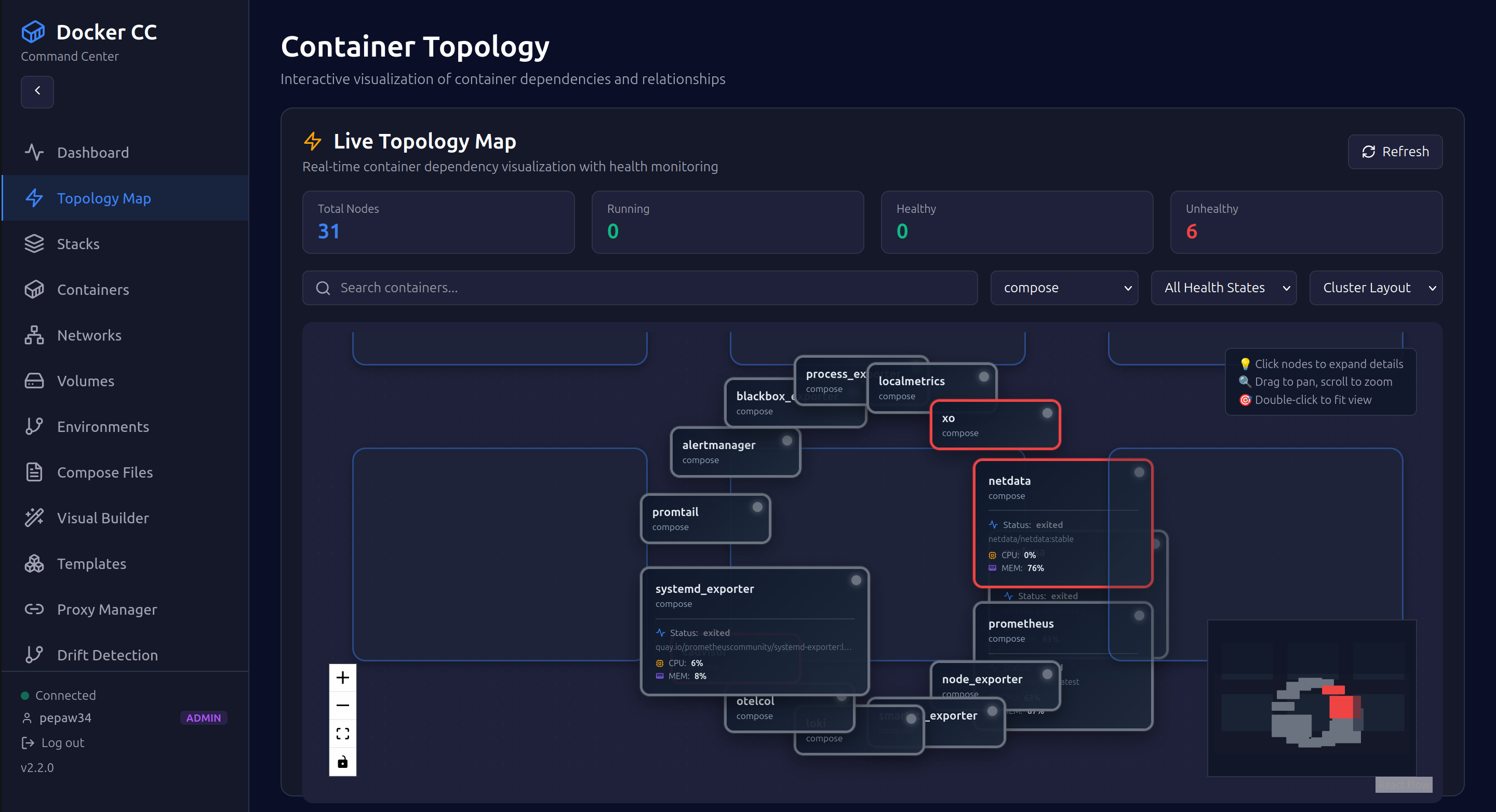
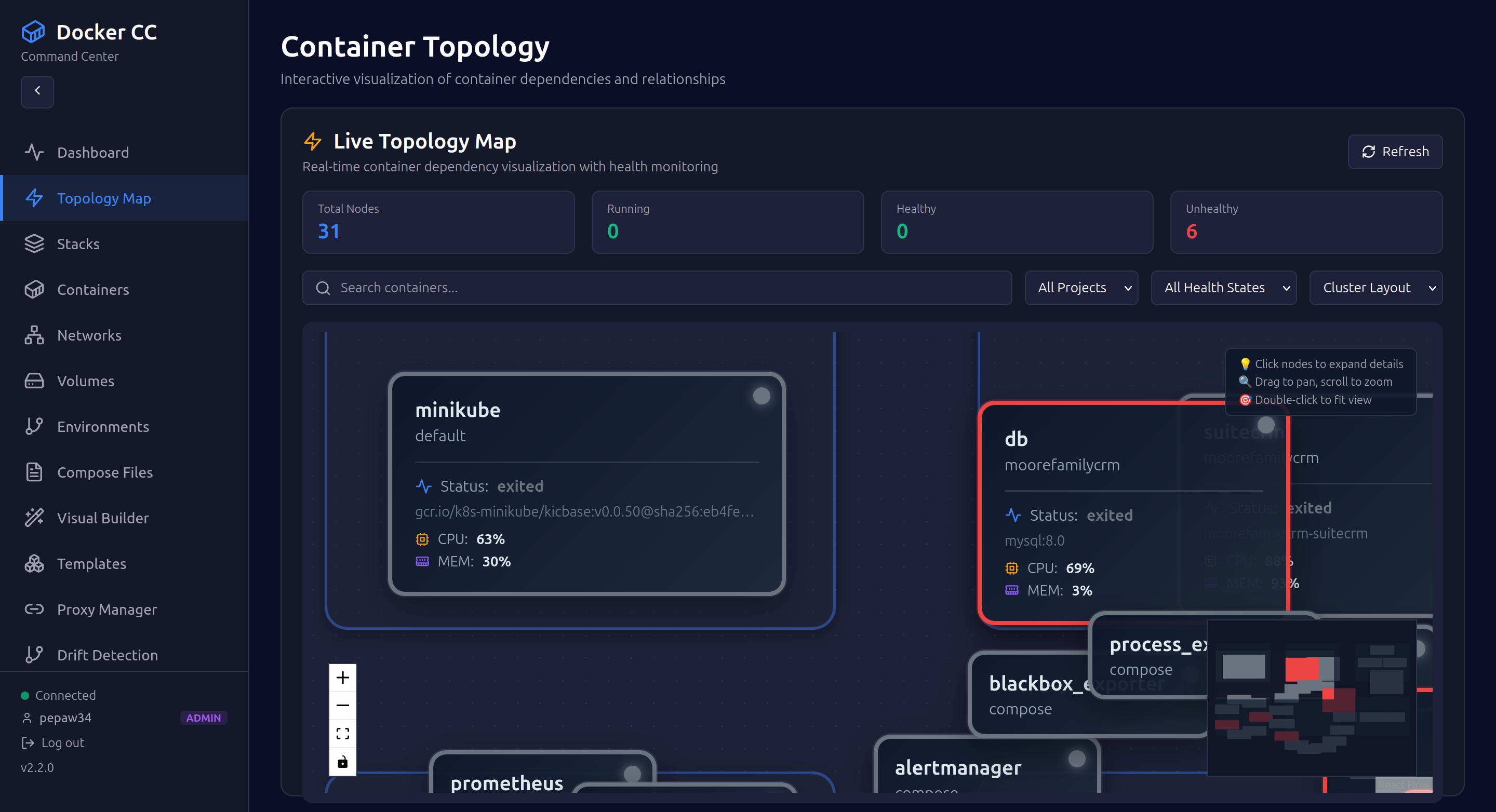
Container Topology Map
 |
 |
 |
 |
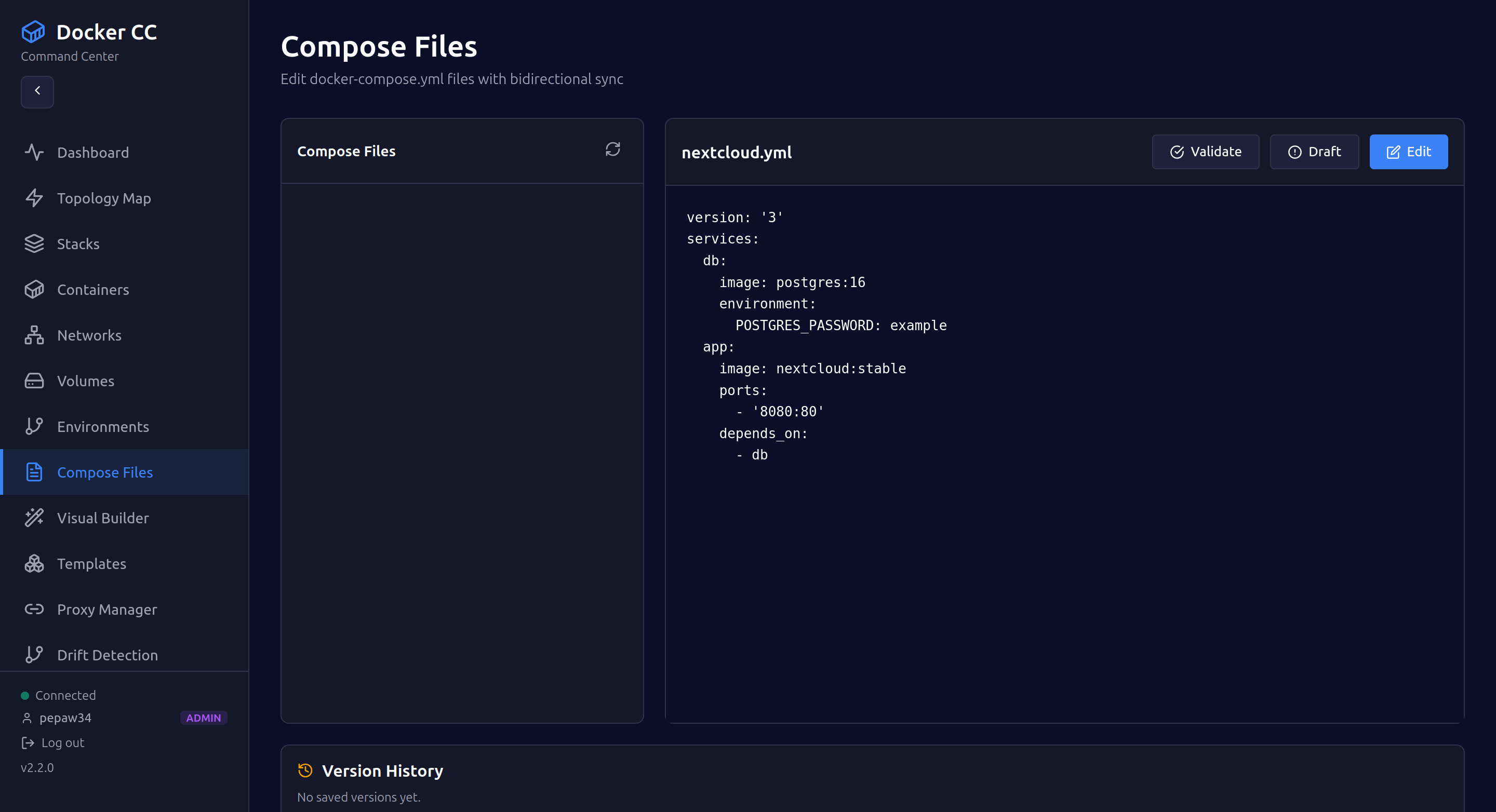
Compose Files Editor
Admin Panel
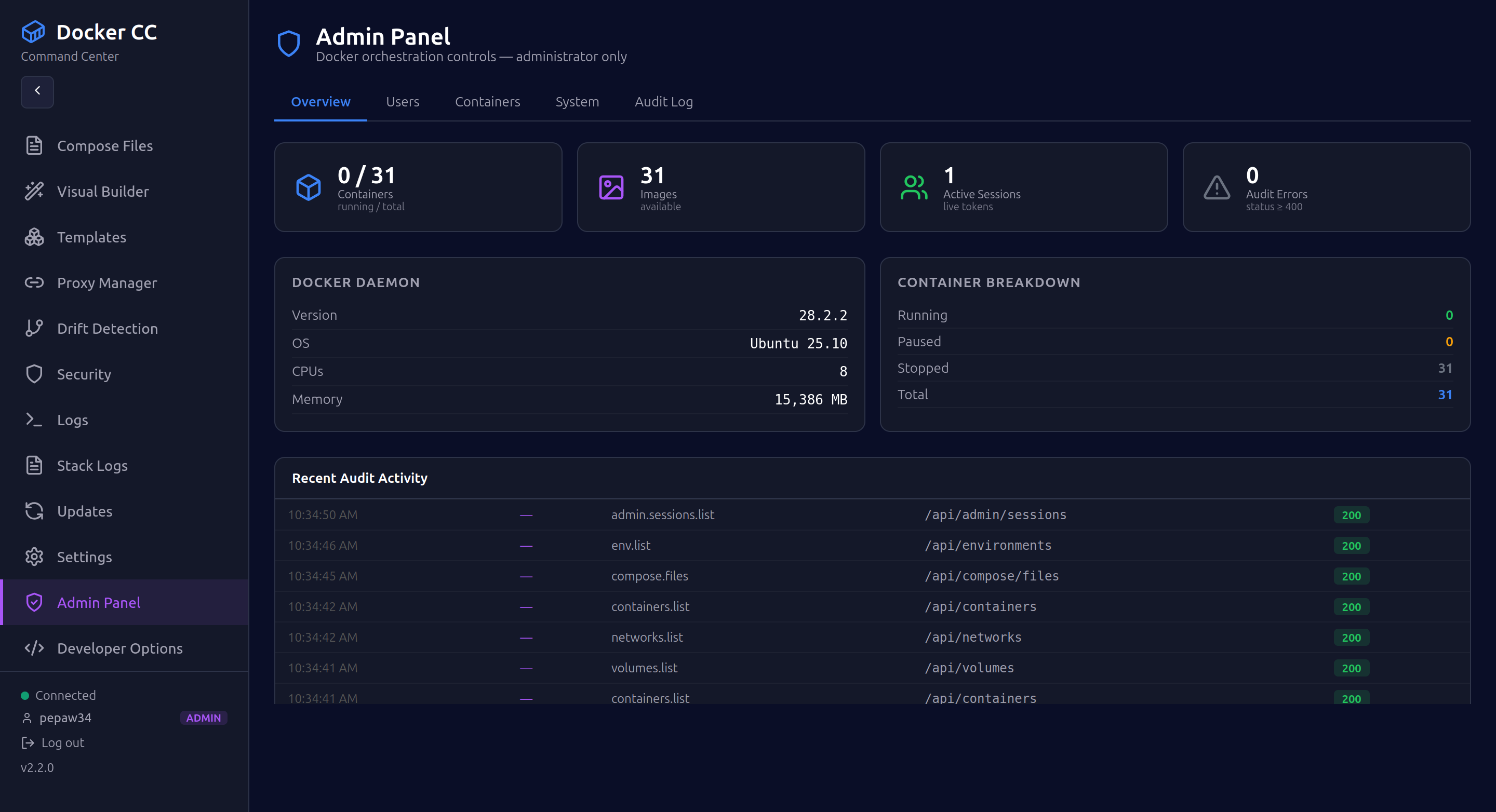 |
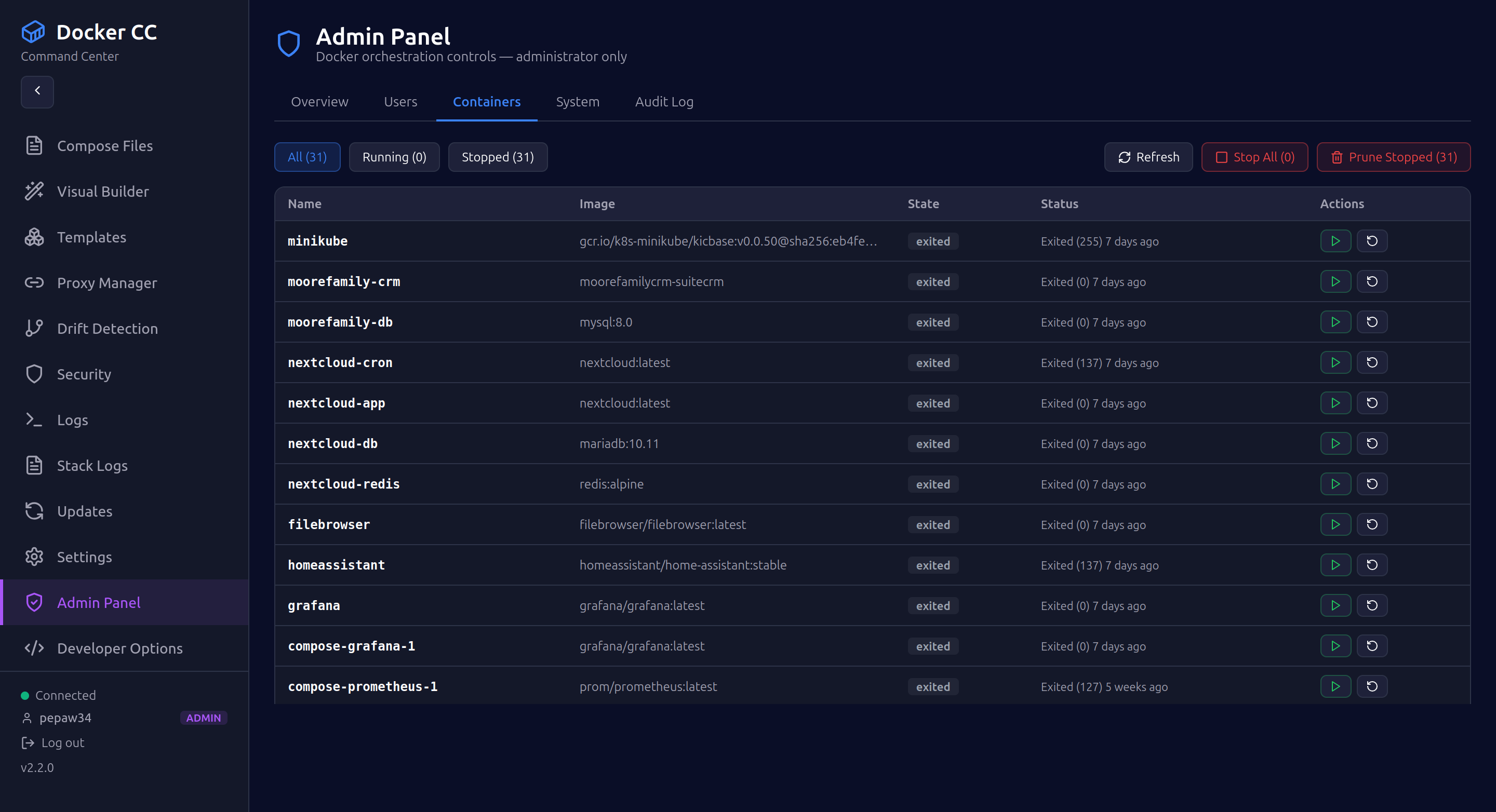 |
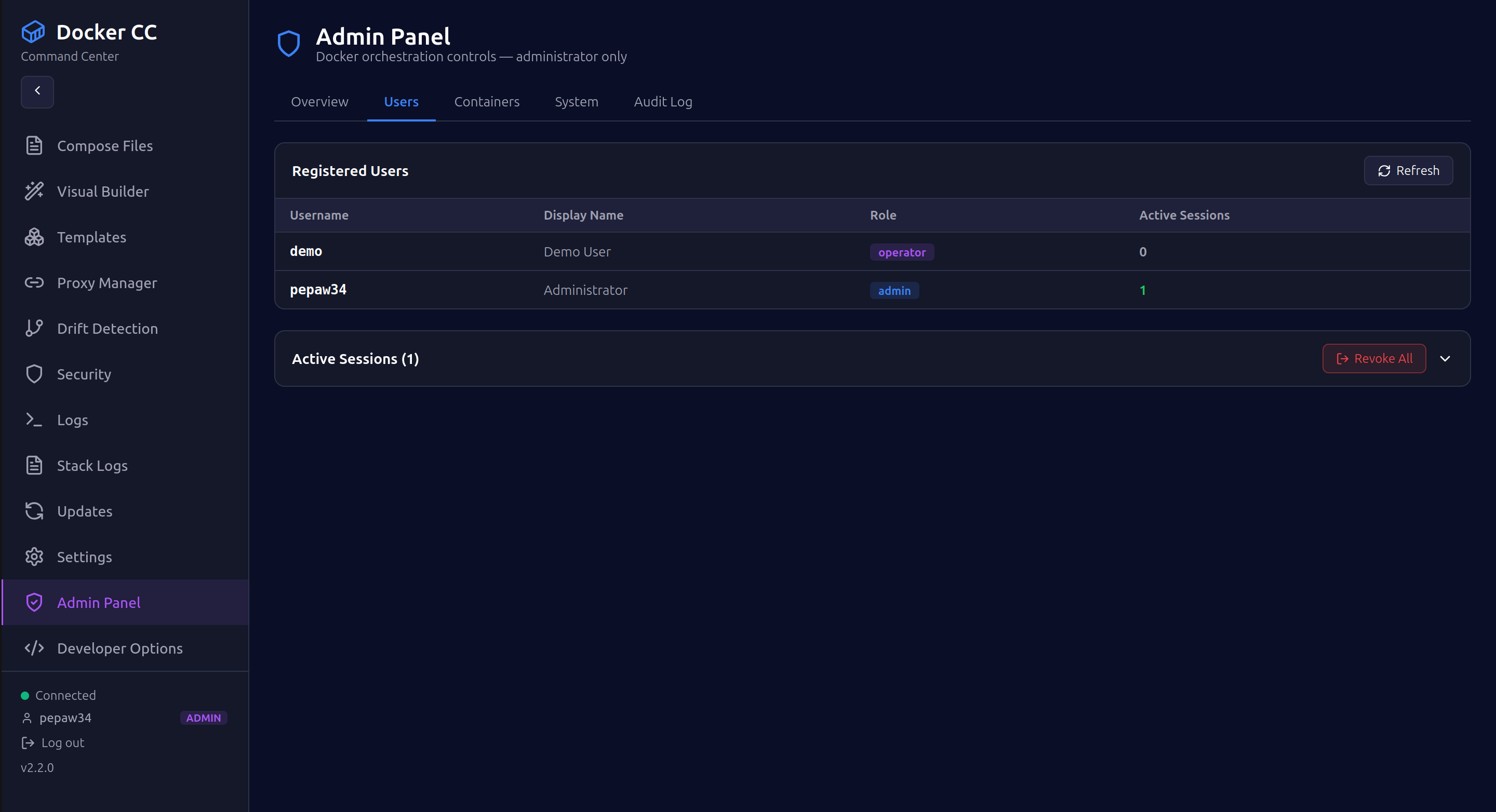 |
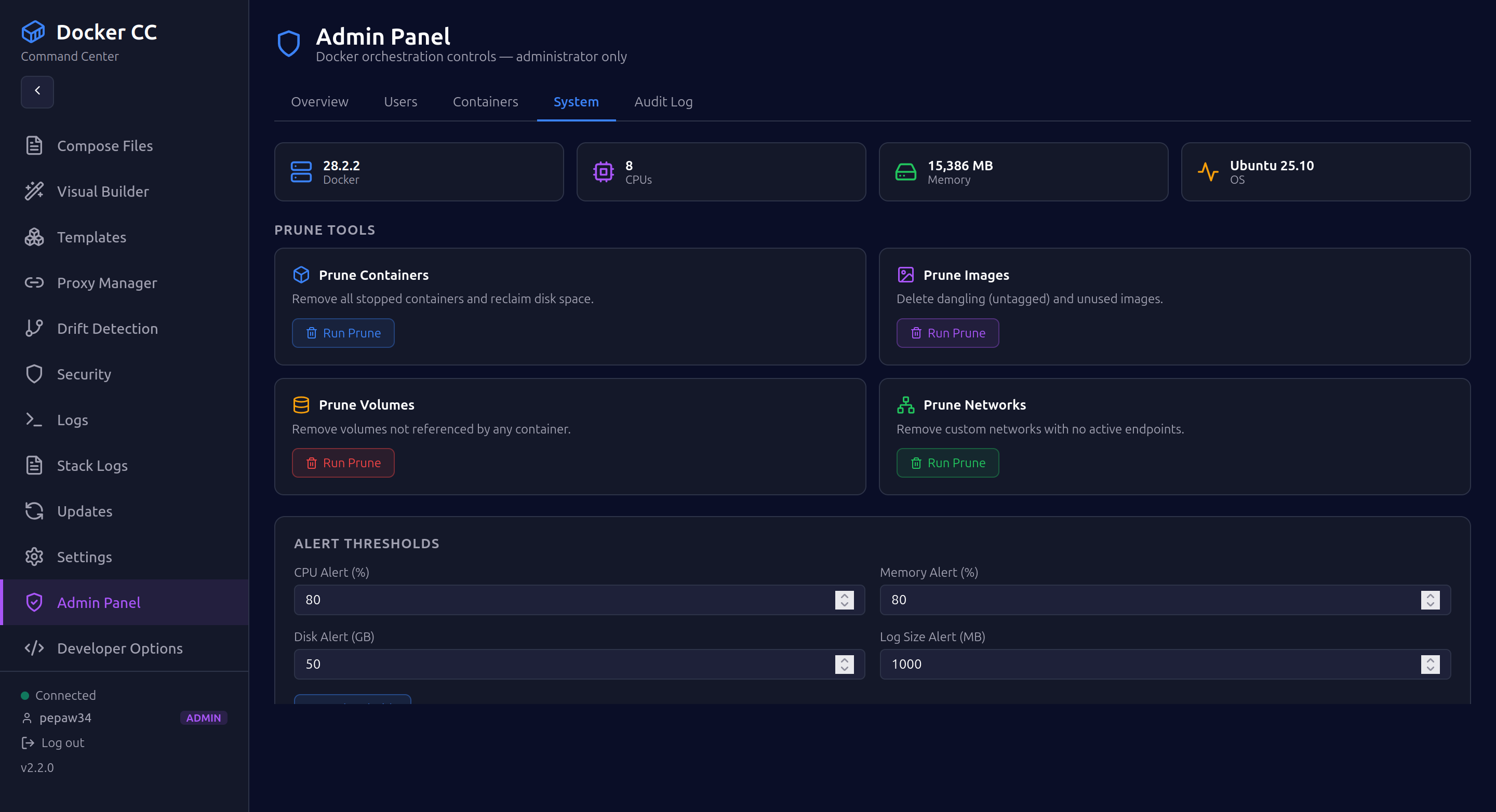 |
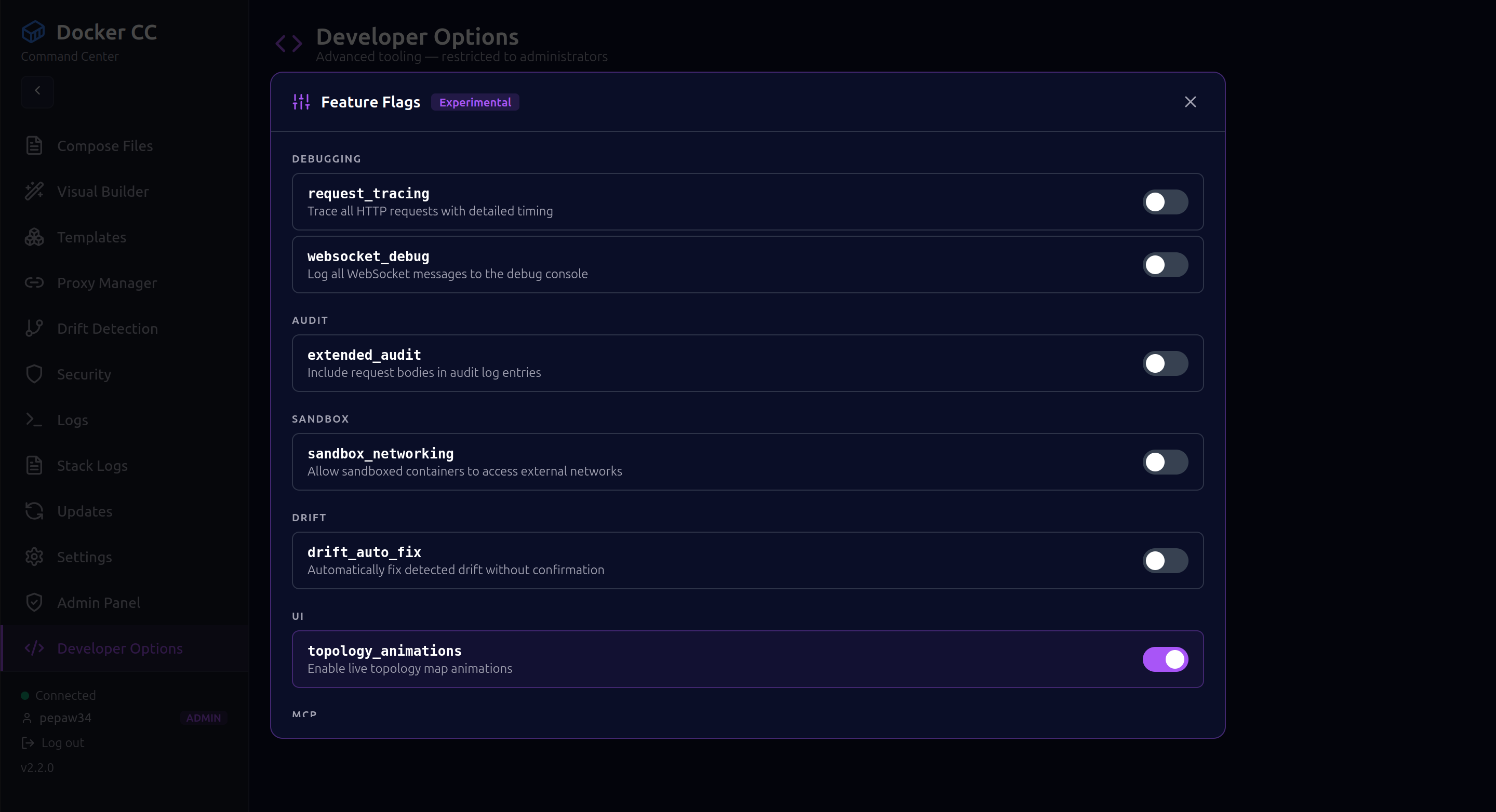
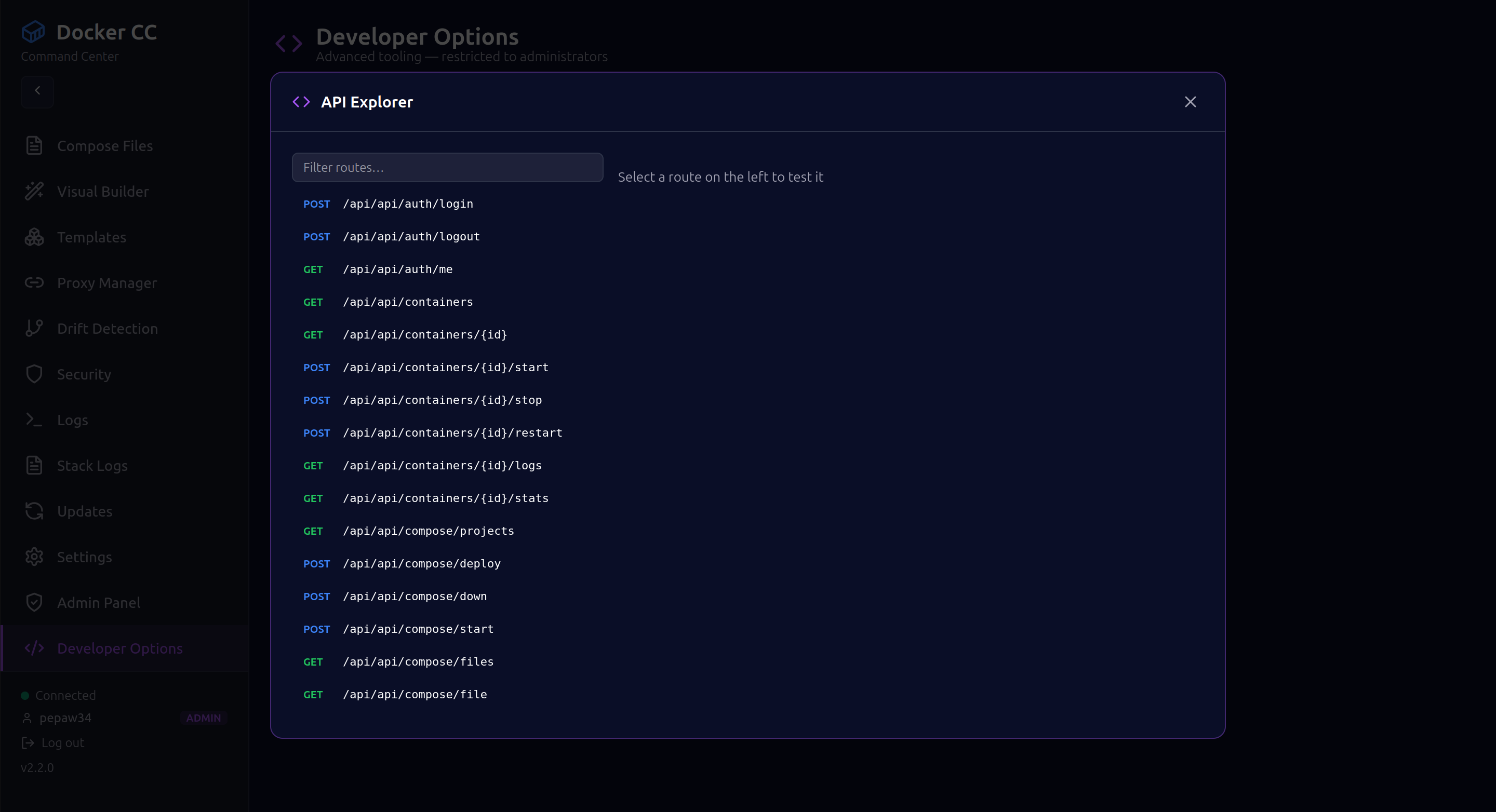
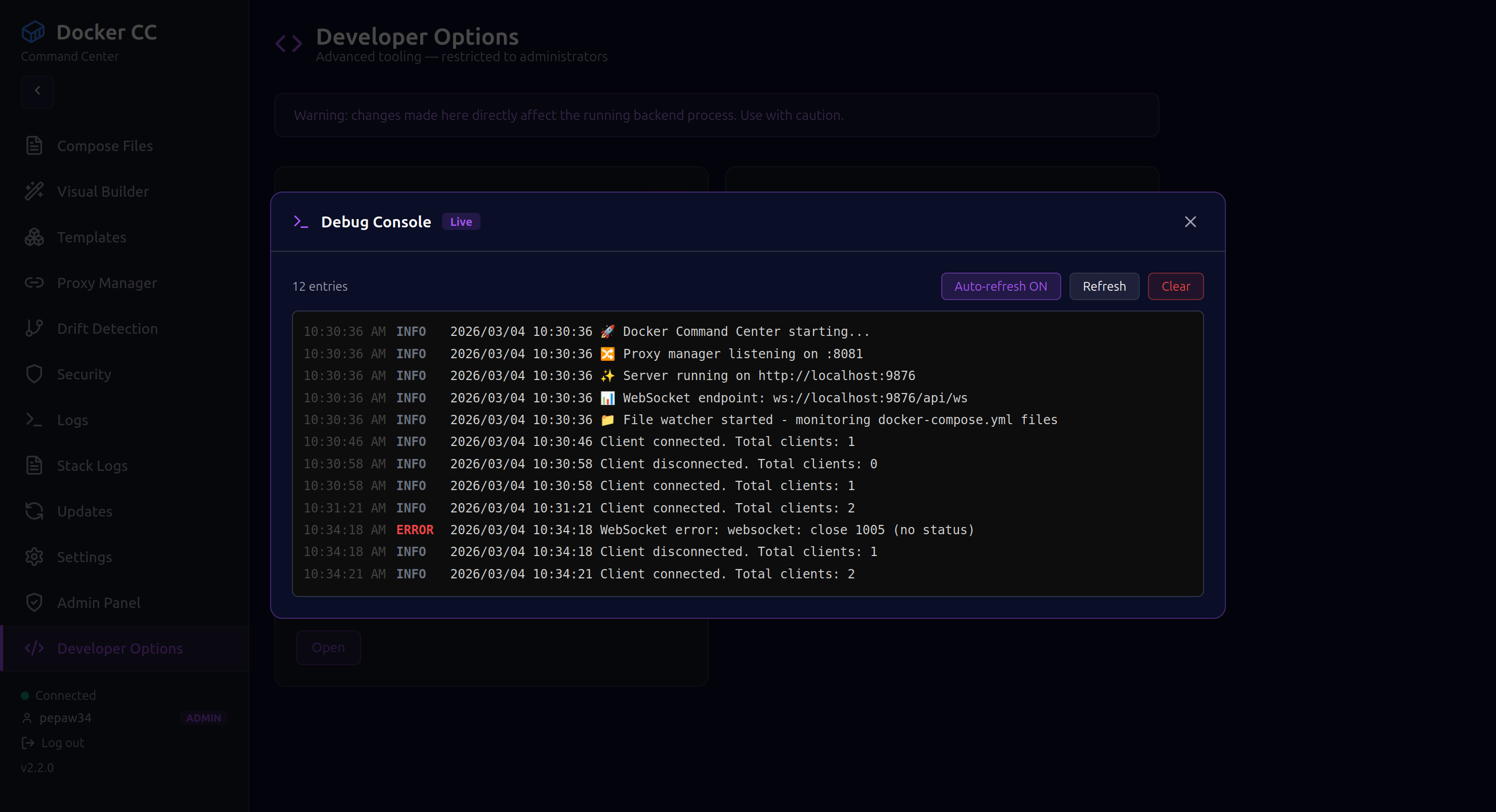
Developer Options (Admin Only)
 |
 |
 |
|
Overview
Docker Command Center (DCC) solves the friction of tools like Portainer and Docker Desktop with a single self-contained binary that embeds the full React frontend. No Docker container required to run the manager itself — clone, build, and go.
Key differentiators:
- Single binary (~14 MB) — zero external runtime dependencies
- Zero proprietary database — bidirectional sync with your
docker-compose.ymlfiles - Real-time WebSocket updates across all 21 UI pages
- Built-in session-based authentication with role-based access control
- AI-ready via Model Context Protocol (MCP) Gateway
- CVE security scanning via Trivy integration
- Full audit trail with per-user action logging
Quick Start
Windows — One-Click Installer
Supports: Windows 10/11, Windows Server 2016/2019/2022/2025 (x64)
Prerequisite: Docker Desktop for Windows must be installed and running.
- Download DockerCommandCenter-Setup.exe from the
dist/folder (or the Releases page) - Run the installer — it will prompt for administrator privileges (required to write to
Program Files) - DCC installs to
C:\Program Files\Docker Command Center\and launches automatically - Your browser opens to http://localhost:9876
- Start Menu and Desktop shortcuts are created for future launches
What the installer does:
- Extracts
dcc.exetoC:\Program Files\Docker Command Center\ - Creates Start Menu shortcuts (Launch + Uninstall)
- Creates a Desktop shortcut
- Registers in Programs & Features for clean uninstall
- Starts the DCC server and opens your browser automatically
To uninstall: Control Panel → Programs → Docker Command Center → Uninstall (or use the Start Menu shortcut)
Linux / macOS — Build from Source
Prerequisites
| Tool | Version |
|---|---|
| Docker Engine | 20.10+ |
| Go | 1.24+ |
| Node.js | 18+ |
Build & Run
# Clone
git clone https://github.com/paulmmoore3416/docker-command-center.git
cd docker-command-center

# Build frontend + embed into single binary
make build

# Run
./dcc
Open http://localhost:9876 in your browser.
Default credentials:
| Username | Password | Role |
|---|---|---|
demo |
demo123 |
operator |
admin |
(set via env) | admin |
Install system-wide (Linux)
make install   # builds and copies to /usr/local/bin/dcc
dcc            # run from anywhere
See GCP_DEPLOY.md for cloud deployment instructions.
Features
Core Features
| # | Feature | Description |
|---|---|---|
| 1 | Ghost Mode | Bidirectional sync between UI and docker-compose.yml — no proprietary DB |
| 2 | Smart Restarts | Dependency-aware orchestration with health-check propagation |
| 3 | Ephemeral Environments | One-click branch stacks from Git with TTL-based auto-cleanup |
| 4 | Visual Networking | Live traffic canvas with container communication visualization |
| 5 | Resource Guardrails | CPU/RAM/Disk threshold alerts, volume file explorer, cleanup suggestions |
| 6 | Container Archaeology | Historical state tracking, time-travel debugging, config diff viewer |
Advanced Features
| # | Feature | Description |
|---|---|---|
| 7 | Drift Detection | Real-time config vs. running state comparison (30s intervals) with root/capability alerts |
| 8 | CVE Security Auditing | Trivy integration — scan all containers, hardening recommendations, JSON/CSV export |
| 9 | Sandboxed Execution | Seccomp profiles (strict/moderate/permissive), AppArmor-ready, resource limits |
| 10 | MCP Gateway | AI-friendly JSON-RPC with 12 Docker operations — Claude/GPT integration ready |
| 11 | Log Aggregation | Unified log stream, real-time grep, watchword alerts, level-based filtering |
| 12 | Dependency Topology | Interactive graph with health-aware colors, Force and Cluster layout modes |
v2.3.0 — What’s New
- Authentication System: Session-based login with secure Bearer token storage
- Role-Based Access Control:
operatorandadminroles with per-route enforcement - Admin Panel: Live user management, container bulk operations, system prune tools, alert thresholds
- Developer Options: Feature flags, live API explorer, real-time debug console, profiler — admin only
- Boot Experience: Cinematic boot screen with animated video on first launch
- Admin Docker Tools: Bulk container management and system-level Docker operations via admin API
Architecture
┌─────────────────────────────────────────────┐
│              DCC Binary (~14 MB)             │
│                                              │
│  ┌─────────────┐    ┌─────────────────────┐ │
│  │  Go Backend │◄──►│  React/TS Frontend  │ │
│  │  (port 9876)│    │  (embedded in bin)  │ │
│  └──────┬──────┘    └─────────────────────┘ │
│         │                                    │
│  ┌──────▼──────────────────────────────────┐│
│  │              Internal Modules           ││
│  │  docker/   drift/    security/  logs/   ││
│  │  sandbox/  mcp/      proxy/     audit/  ││
│  │  auth/     devtools/ filewatch/ ws/     ││
│  └─────────────────────────────────────────┘│
└─────────────────────────────────────────────┘
         │
         ▼
   Docker Engine (unix socket)
Tech Stack:
| Layer | Technology |
|---|---|
| Backend | Go 1.24.0 |
| Frontend | React 18.2.0 + TypeScript 5.3.3 |
| Build | Vite 5.0.8 |
| Real-time | Gorilla WebSocket |
| Routing | Gorilla Mux |
| Charts | Recharts 2.10.0 |
| Graphs | ReactFlow 11.11.4 |
| Editor | Monaco Editor 4.6.0 |
| File Watch | fsnotify 1.7.0 |
| Docker SDK | v25.0.0 |
Authentication & Security
DCC uses session-based authentication. On login, a secure 24-byte token is issued and stored client-side. All API requests carry the token as a Bearer header.
# Login
POST /api/auth/login   {"username": "...", "password": "..."}

# Check session
GET  /api/auth/me

# Logout
POST /api/auth/logout
RBAC Roles:
| Role | Access |
|---|---|
operator |
Full read + write access to containers, compose, logs, networks, volumes |
admin |
All operator permissions + Admin Panel, Developer Options, audit log, user management |
Sessions expire after 24 hours. The audit trail is written in real time and accessible at /api/audit (admin only).
To enforce an additional static API key at the server level:
export DCC_API_KEY=your-secure-key
dcc
API Reference
All endpoints live under /api. Authentication uses Authorization: Bearer <token>.
| Endpoint | Method | Permission | Description |
|---|---|---|---|
/api/auth/login |
POST | — | Authenticate and receive token |
/api/auth/me |
GET | — | Get current session info |
/api/containers |
GET | operator | List all containers |
/api/containers/{id}/start |
POST | operator | Start container |
/api/containers/{id}/logs |
GET | operator | Stream container logs |
/api/compose/deploy |
POST | operator | Deploy compose stack |
/api/drift |
GET | operator | Get drift report |
/api/security/scan/all |
POST | operator | Scan all images for CVEs |
/api/mcp/execute |
POST | operator | Execute MCP tool |
/api/logs/aggregated |
GET | operator | Get aggregated logs |
/api/admin/users |
GET | admin | List users and sessions |
/api/admin/system |
GET | admin | Docker daemon info |
/api/audit |
GET | admin | Read audit trail |
/api/ws |
WS | — | Real-time WebSocket stream |
Full API: 50+ endpoints covering containers, compose, networks, volumes, environments, proxies, stacks, templates, updates, security, sandbox, MCP, logs, and audit.
Development
# Frontend hot-reload dev server (port 5173)
make dev-frontend

# Backend only
make dev-backend

# Full production build (frontend embedded in binary)
make build

# Clean all artifacts
make clean
Project Structure
docker-command-center/
├── assets/                  # Branding, screenshots, demo video
├── cmd/dcc/main.go          # Server entrypoint + all HTTP route registration
├── internal/
│   ├── auth/                # Session auth, RBAC middleware, admin user management
│   ├── audit/               # Per-user action audit trail
│   ├── devtools/            # Feature flags, debug console, profiler (admin only)
│   ├── docker/              # Docker SDK wrapper + admin bulk operations
│   ├── drift/               # Config drift detection (30s intervals)
│   ├── filewatch/           # Bidirectional docker-compose.yml file sync
│   ├── logs/                # Log aggregation, streaming, grep
│   ├── mcp/                 # Model Context Protocol gateway (12 operations)
│   ├── proxy/               # Reverse proxy manager
│   ├── sandbox/             # Seccomp sandboxed execution
│   ├── security/            # Trivy CVE scanner integration
│   └── websockets/          # Real-time WebSocket hub
├── frontend/
│   └── src/
│       ├── pages/           # 21 UI pages
│       ├── components/      # Shared components
│       ├── context/         # Auth context and session state
│       └── hooks/           # Custom React hooks
├── compose/                 # Example docker-compose stack templates
├── projectbusiness/         # Business documentation and SOPs
├── Makefile                 # Build automation
├── GCP_DEPLOY.md            # Google Cloud Platform deployment guide
├── CHANGELOG.md             # Version history
└── go.mod                   # Go module dependencies
Documentation
| Document | Description |
|---|---|
| GCP_DEPLOY.md | Step-by-step Google Cloud deployment guide |
| CHANGELOG.md | Full version history |
| projectbusiness/ | Product overview, architecture, user guide, SOPs |
License
MIT — see LICENSE
Built with Go + React | Port 9876 | Version 2.3.0